
How to Download TikTok Thumbnails on Desktop
- 1
Open TikTok on your browser
Go to tiktok.com and find the video whose cover image you want to save.
- 2
Copy the video URL
Click on the video. Copy the URL from the address bar - it looks like https://www.tiktok.com/@username/video/...
- 3
Paste the URL above
Return to this page and paste the copied link into the input field.
- 4
Click Download
Press the Download button. The TikTok video cover thumbnail will appear within seconds.
- 5
Save the image
Click Download to save the thumbnail to your computer in full quality.
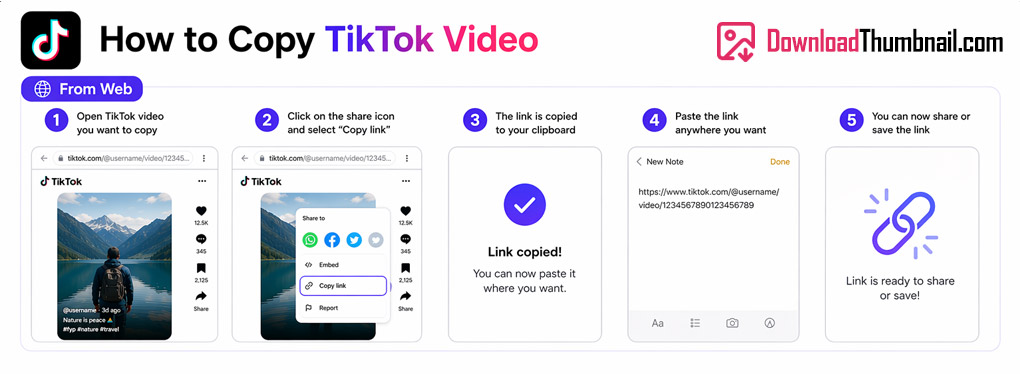
How to copy a TikTok video URL on desktop
How to Download TikTok Thumbnails on Mobile (Android & iPhone)
- 1
Open the TikTok app
Find the video you want on TikTok.
- 2
Tap Share → Copy Link
Tap the Share icon (arrow) on the right side of the video, then tap Copy Link.
- 3
Open your browser
Open Chrome or Safari on your phone and navigate to this page.
- 4
Paste & Download
Tap the input box, paste the link, and hit Download.
- 5
Save to your gallery
Tap Download and the thumbnail will be saved to your phone's gallery or downloads folder.
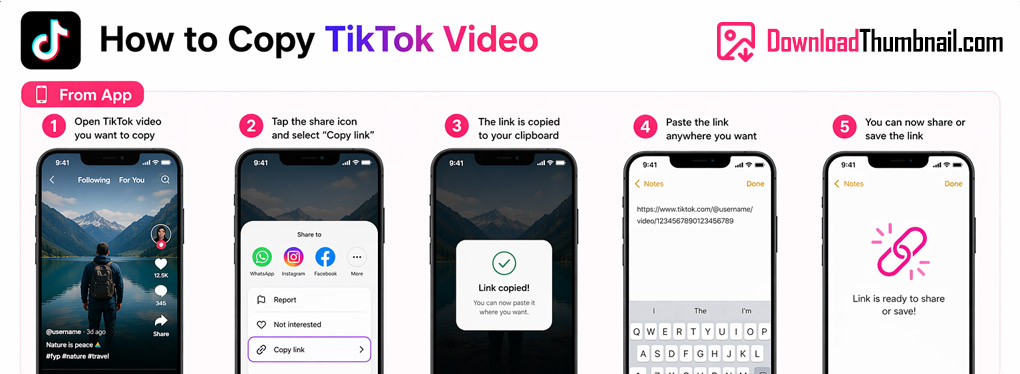
How to copy a TikTok link on mobile to download the thumbnail
Best Online TikTok Thumbnail Downloader
Our TikTok thumbnail downloader lets you save the cover image of any public TikTok video in the highest resolution available. TikTok automatically sets a frame from the video as its thumbnail - with our tool you can grab that image in one click, completely free and without installing any app. Perfect for content creators who want to reference popular TikTok covers, marketers analyzing trends, or anyone who wants to save a visual they like.
Where to Save TikTok Thumbnail Images?
TikTok thumbnails can be saved to any device - PC, Mac, iPhone, or Android. After clicking Download, the image will be saved to your default downloads folder on desktop. On mobile, tap the Download button and find the image in your gallery or Files app. TikTok cover images are high-resolution JPEG files suitable for use in design tools, presentations, or social media.
Frequently Asked Questions
Can I download thumbnails from private TikTok accounts?
No. Our tool only works with public TikTok videos. Private videos cannot be accessed without the account owner's permission.
Does this work with TikTok short links (vm.tiktok.com)?
Yes, both full TikTok URLs and short links are supported.
Is there a limit on how many thumbnails I can download?
No limit - you can download as many TikTok thumbnails as you want for free.


